
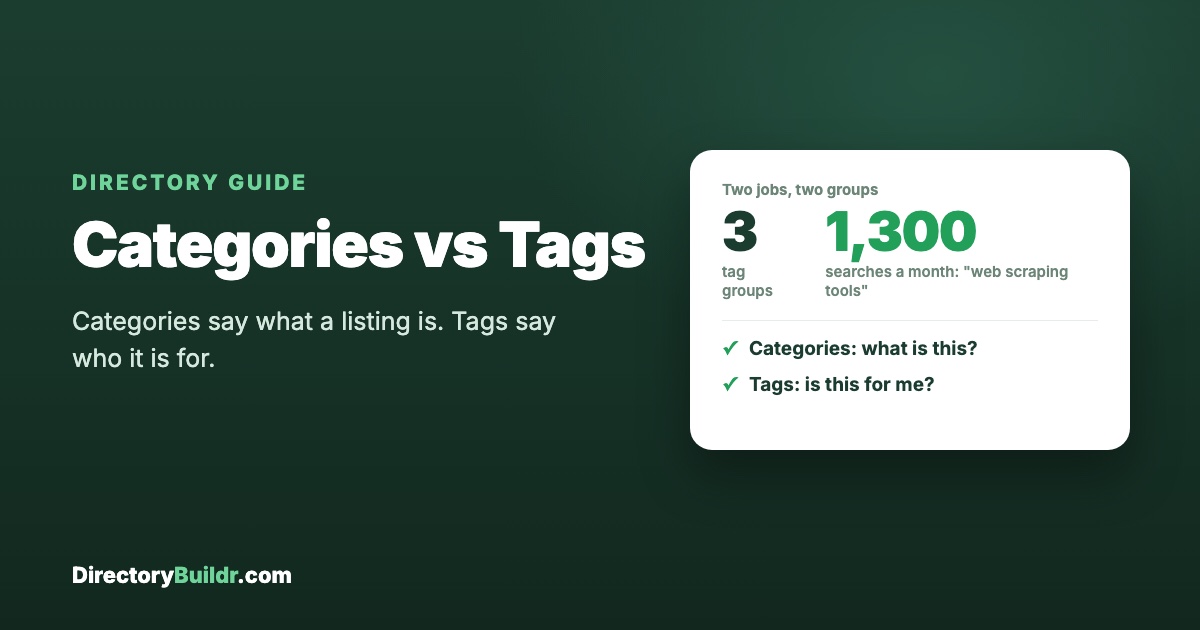
DirectoryBuildr has had four pricing tags since January 2026: Free, Lifetime Deal, Free Trial and Paid Only.
This is step 4 of how to build a directory website, the full order from niche to first dollar.
By September, not one listing used them.
They weren't broken. They just never got applied when listings were added. And a filter with nothing in it is worse than no filter, because a visitor clicks it, gets zero results, and concludes the site is empty.
That's the quiet way directory structure fails. Here's how to set up categories and tags so it doesn't.
Categories and tags do different jobs
Most directory platforms give you both, and most people use them interchangeably. They shouldn't be.
A category answers "what is this?" Each listing has one home, maybe two. Category pages are also landing pages, so they're often the pages that rank.
A tag answers "is this for someone like me?" Tags cut across categories. They're how a visitor narrows a list down to what fits them: free tools only, open source only, walk-ins only.
Here's how that looks on this site. The categories are the kinds of tool: WordPress themes and plugins, no-code builders, vibe coding, coded builds, research tools, and directory tools with a Scrapers subcategory. The tags answer questions that apply across all of them: how much does it cost, and what do you own at the end (the code, a hosted account, a self-hosted install, open source software).
A scraper and a WordPress plugin will never share a category. They can both be tagged Free.
Pick categories from search, not from your gut
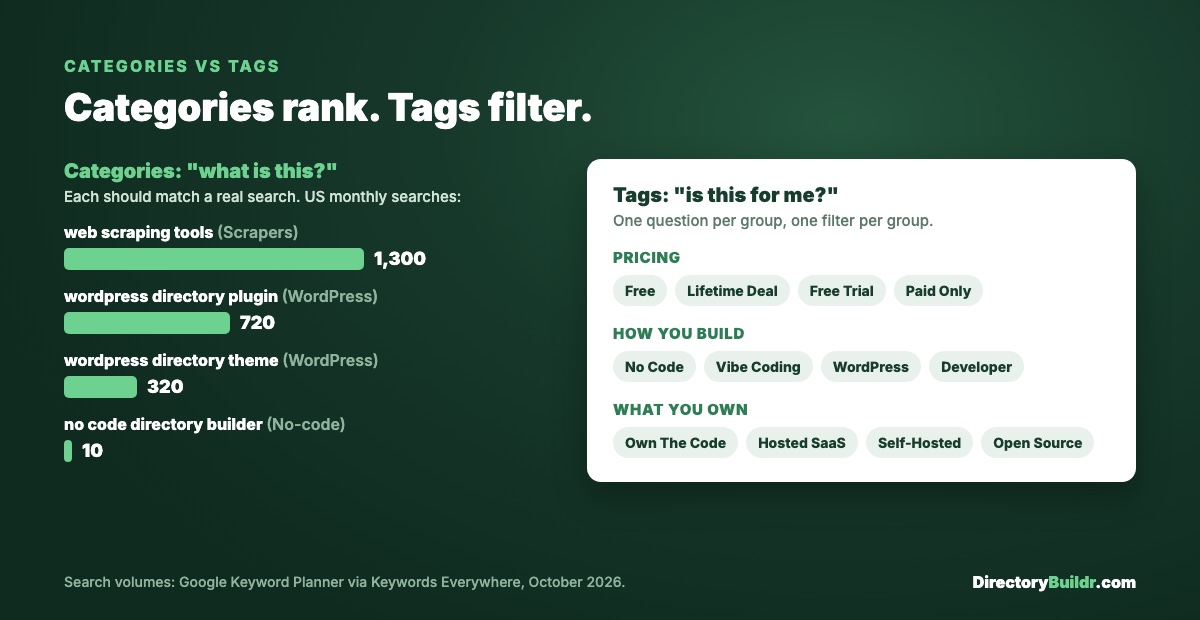
Because category pages rank, every category should match something people actually search for. These are US monthly searches for a few of this site's categories:
| Category idea | Search term | Monthly searches |
|---|---|---|
| Scrapers | web scraping tools | 1,300 |
| WordPress | wordpress directory plugin | 720 |
| WordPress | wordpress directory theme | 320 |
| No-code | no code directory builder | 10 |
That table tells you which pages are worth the effort.
Scrapers sits as a subcategory under directory tools, and the search data backs that up. "Web scraping tools" has real demand of its own, so a dedicated page can target it instead of being buried in a general tools list.
No-code barely gets searched under that name. It's still a useful category, because people browsing want to see the no-code options together. But it's a browsing category, not a ranking one, and I don't expect that page to bring much search traffic.
The same keyword check from the niche research guide works here. Run your category ideas through a keyword tool before you create them.
Three rules keep categories healthy:
- At least five listings before a category goes live. An empty or near-empty category page is a thin page, for visitors and for Google. The first 50 listings guide covers how to fill them.
- No more than two levels deep. Category, then subcategory. Past that, visitors get lost and the deep pages get crawled less.
- Split a category only when the new group has its own search demand. Size alone isn't a reason. A big category that people search for as one thing should stay one page.
Pick tags as questions, in groups
The tags that work best come in groups, and each group answers one question. Each group then becomes one filter.
On this site there are three groups:
- Pricing: Free, Lifetime Deal, Free Trial, Paid Only
- How you build: No Code, Vibe Coding, WordPress, Developer
- What you own: Own The Code, Hosted SaaS, Self-Hosted, Open Source
Two rules came out of setting those up.
Within a group, decide whether tags can overlap. "How you build" tags are alternatives, not features. A WordPress plugin gets WordPress, never also No Code. If you allow both, No Code ends up on nearly everything and stops meaning anything. So every listing gets exactly one tag from that group.
Leave a group off listings it doesn't apply to. The "what you own" group only goes on things you build with: platforms, plugins, themes, boilerplates. A scraper doesn't get one. You don't own or self-host a scraping service, you pay for access and get data back. Forcing a tag onto it would make the whole group harder to read.
And the lesson from the opening: if tagging isn't part of creating a listing, it won't happen. Add the tag groups to your listing template or checklist, and check every month or so for listings with gaps.
One more thing worth checking on your platform: whether tags get their own pages at all. On DirectoryBuildr, tag pages don't exist as standalone URLs, so tags work as filters and labels, not as landing pages. That's fine. It just means any search term you want to rank for needs a category page or an article, not a tag.
Keep filters from creating junk URLs
Filters are where structure turns into an SEO problem.
Every filter combination can create its own URL. Three filters with four options each is already dozens of combinations, and most of them will show the same few listings in a different order. Google can spend its whole crawl of your site on those and never reach your listings.
Google's documentation on faceted navigation, last updated in December 2025, gives the main fix: if filtered URLs don't need to appear in search, block those filter parameters from crawling in robots.txt. Leave the unfiltered category page and the individual listing pages crawlable. Google says a canonical tag pointing filtered URLs back to the main page can help, but it works less well over time than blocking.
If a filter combination genuinely has its own search demand, don't rely on the filter URL to rank. Make it a real page. "Free wordpress directory plugin" gets about 40 searches a month. That's not much, but if it were 400, it would deserve its own article rather than a filtered URL.
What a listing needs to get indexed covers the other half: making sure the pages you do want crawled are worth crawling.
Changing your structure later
You'll change things. Everyone does. Two things to watch.
Renaming a category usually changes its URL. Anything that linked to the old URL, including Google, hits a 404 unless you set a redirect. Check whether your platform creates redirects for you. Many don't.
Switch off empty categories rather than leaving them live. On this site, a blog category ended up with no articles in it after a reorganization. It got switched off as soon as we noticed, because an empty page that says "no results" helps nobody.
The checklist
- Categories answer "what is this?" Tags answer "is this for me?"
- Every category matches a real search term, or is clearly a browsing category
- At least five listings in every live category
- No more than two levels deep
- Tags in groups, one question per group
- Within each group, a clear rule on overlap
- Tagging is part of your listing template
- Filter URLs blocked from crawling unless they deserve to rank
If you're comparing platforms, check how each one handles categories, tags and filter URLs before you commit. The two questions that decide which directory tool you need is a good place to start. And if you'd rather have someone plan the structure with you, get in touch.

Written by
Andrew Murray
I build niche directories and write up what actually works. I ended up writing a guide by accident - because I was clarifying my own process. So I started giving it away for free. And people say they find it really helpful in planning their directories. Click the link below to grab my free guide 👇
Visit website