
Which Directory Platform Should I Choose?
Explore a comprehensive analysis of the best platforms for building your niche directory. Understand the benefits and trade-offs of WordPress, custom solutions, and SaaS options to make an informed decision.

Directorist is the best business directory wordpress plugin - built to power your directory, listing, and classified websites with powerful features and themes.
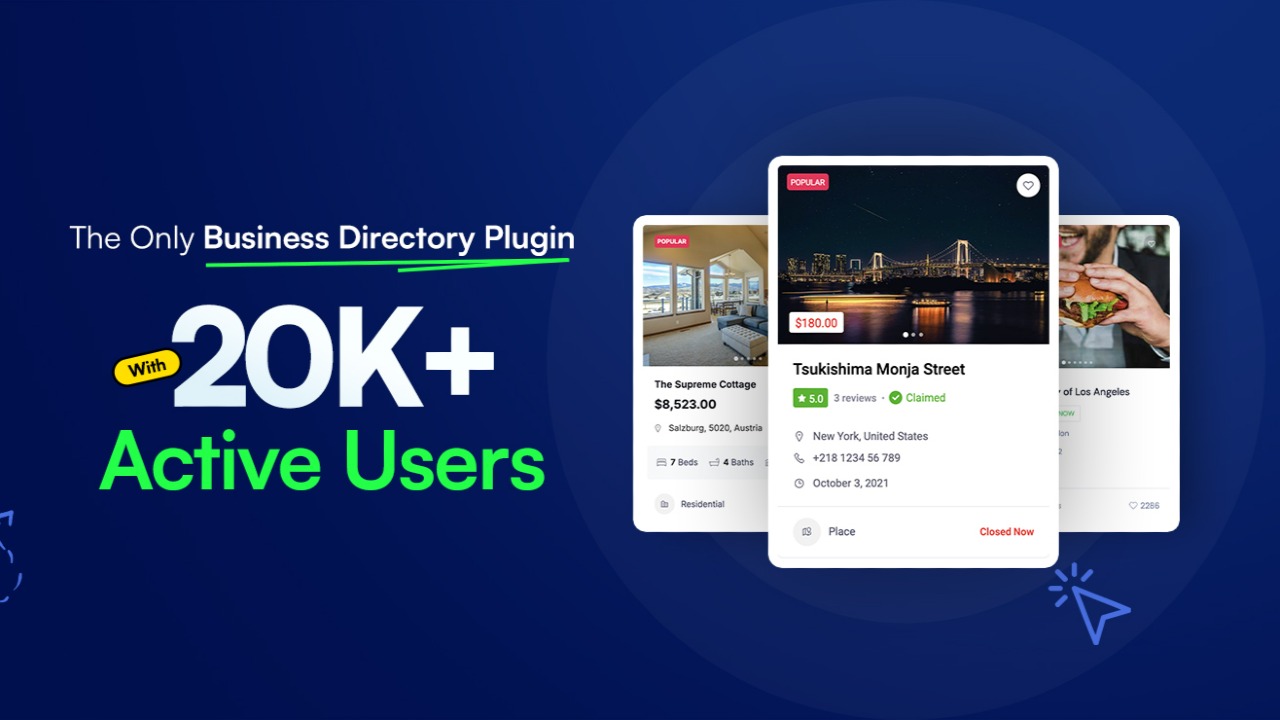
Directorist is a powerful WordPress directory‑plugin that lets solopreneurs build, manage, and monetize directories (business listings, classifieds, job boards, real‑estate, etc.) without writing code. With a free core plugin + optional premium add‑ons, it offers multi‑directory support, advanced search & filters, monetization tools, maps, front‑end submission, and built‑in SEO — making it a strong choice for directory websites that want to rank on Google and generate revenue.
If you’re thinking of building a directory website — maybe a local business directory, a niche job board, classified ads site, or specialized listing platform — you’ll quickly find there are many plugins/tools out there. What makes Directorist stand out is how it brings powerful directory‑site functionality under one roof while staying accessible to non‑tech users. Put simply: if you’re a solopreneur who’s more comfortable running ads, planning niches, or writing content than fiddling with code — Directorist might just be the tool you need.
Here’s a deep dive into what Directorist offers, why it’s worth considering, and how it stacks up — from someone who has played around with directory tools enough to spot what actually matters.
 Directorist is a WordPress plugin (with premium extensions available) that lets you build listing and directory websites. With it, you can create directories for local businesses, services, real estate, jobs, classifieds — basically any niche where users need to browse/filter listings.
The main problem it solves: traditionally, building a directory site meant relying on many plugins, custom code, or a developer. You needed something for listing submission, another for search filters, one for maps, one for payment/monetization — which quickly becomes a mess. Directorist bundles most of what you’d need: listing/submission, search & filters, maps, payment/monetization, SEO, front‑end dashboards, bulk import/export, and more — all in one plugin ecosystem.
That means you avoid plugin conflicts, reduce maintenance headaches, and get a more cohesive directory site. For someone building a directory as a business or side‑project, that simplicity and reliability go a long way.
I’ve tried a few older directory plugins and niche themes in the past — and often they felt like Frankenstein: stitched together with half‑working features and limited flexibility. Directorist flips that script. Some of the things I genuinely like:
In short: Directorist doesn’t feel like a hacked‑together directory plugin; it feels like a genuinely well-engineered platform for directory websites.
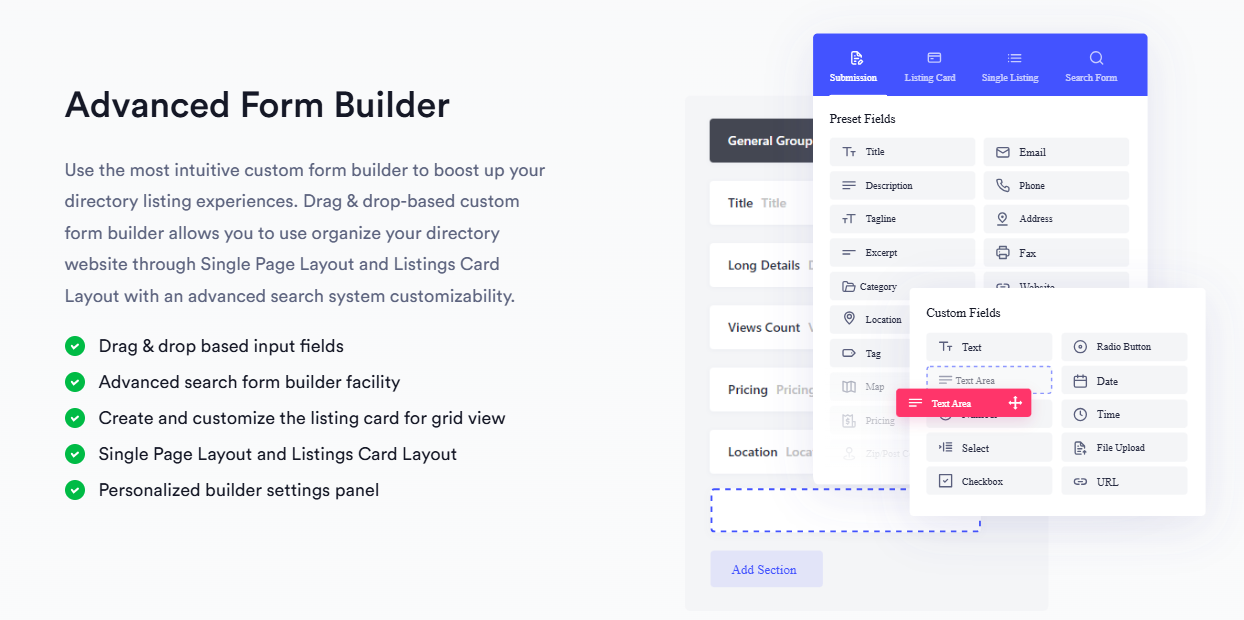
| Feature / Capability | What it does / Why it matters |
|---|---|
| Multi‑directory support | Run multiple directory types (e.g. jobs, services, real‑estate) from a single WP site. |
| Custom form builder + unlimited custom fields | Lets you tailor listing submission forms to your niche — add custom fields like price, amenities, hours, descriptions, etc. |
| Advanced search & filter (AJAX, geolocation, custom fields) | Makes browsing easier — users can filter by location, category, custom fields like price, type, radius search. |
| Front‑end submission & dashboards | Listing owners manage their listings from front-end without admin panel. Enables user‑driven directories / marketplaces. |
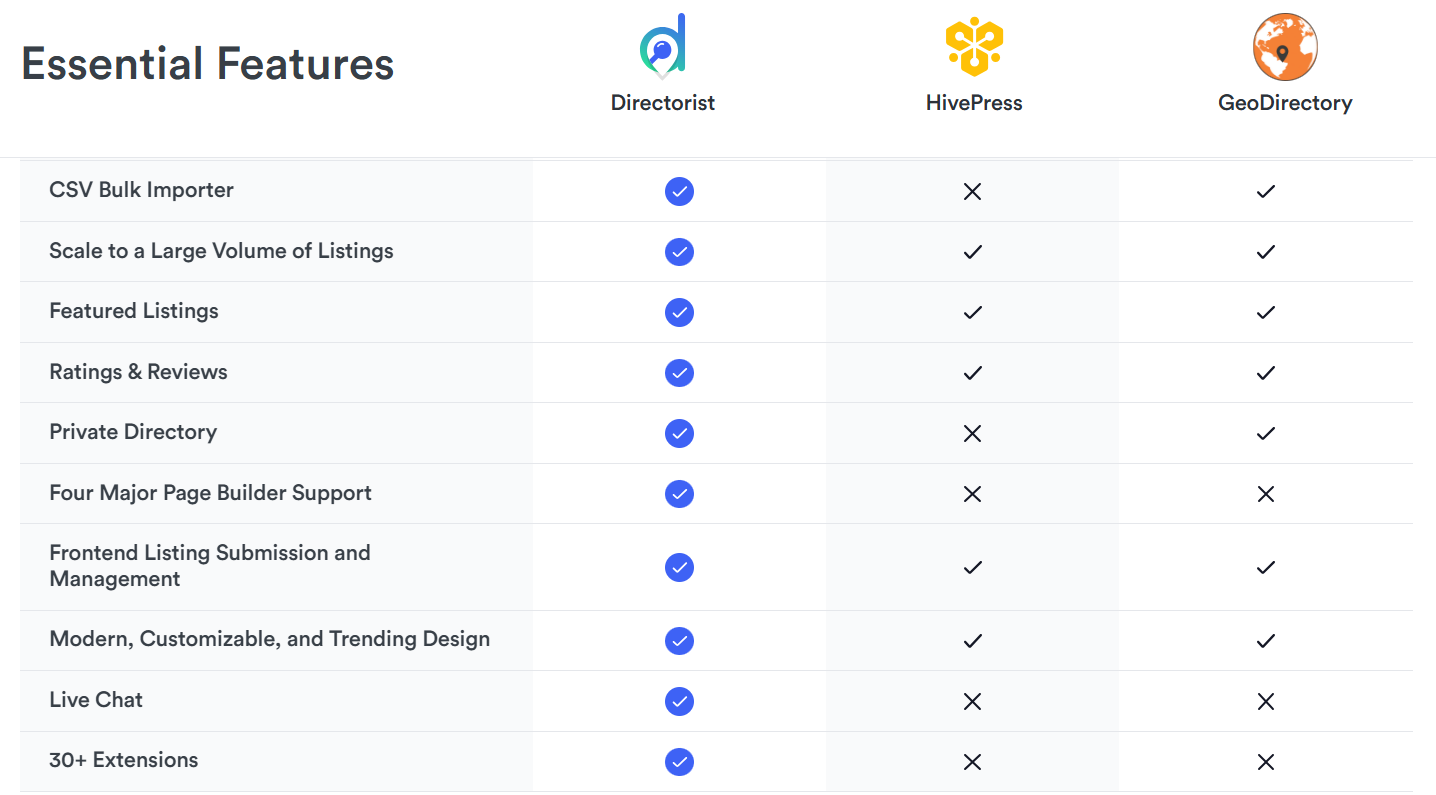
| Bulk import/export (CSV) | Useful if you have large number of listings or migrating from another system. |
| SEO & Schema Markup support | Better visibility on search engine results — essential if you want organic traffic and ranking. |
| Monetization tools (paid listings, subscriptions, featured, ads) + payment gateway integrations | Lets you build a business model: charging listing owners, allowing featured slots, subscriptions, etc. |
| Compatibility with page‑builders / themes / multilingual / RTL support | Offers flexibility to build directories tailored to your design / locale / audience. |
| Scalable & performant | Built to handle thousands (or more) listings — good for big directories, not just small ones. |
| Extensions & Themes ecosystem | 30+ extensions and 14+ themes to extend functionality — booking, maps, classifieds, ads, etc. |

From a small-scope local directory to a large, niche marketplace, Directorist is versatile. Here are some scenarios where it shines:
If you’re a solopreneur, a small team, or a content‑driven entrepreneur — Directorist could be the backbone of a monetizable niche directory.
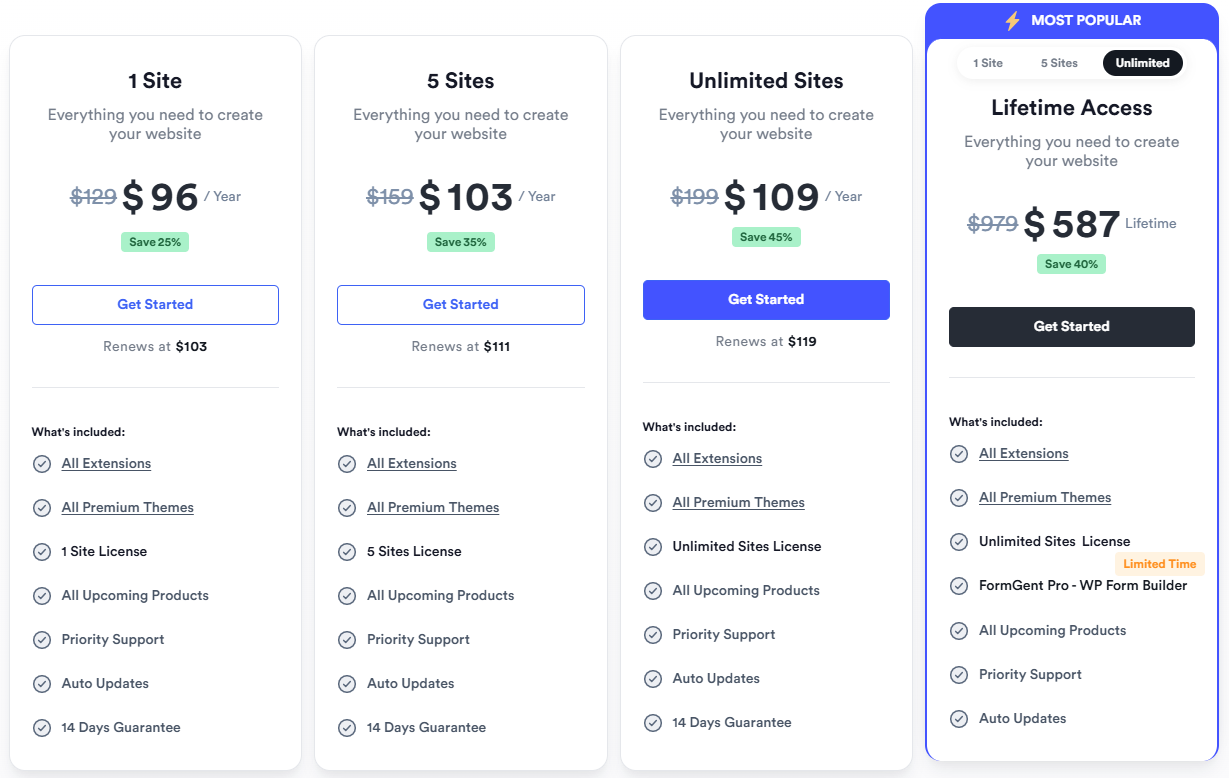 One of the strengths of Directorist is its flexible pricing model:
| Plan/Option | What you get |
|---|---|
| Core Plugin (Free) | Basic directory functionality: listing submission, custom fields, maps, frontend listing, unlimited listings & categories, basic search/filter, theme & builder compatibility. |
| Premium Extensions / Add-ons | Adds monetization, advanced search & filters, frontend management, payment gateways (PayPal/Stripe/Authorize.Net), booking, maps, listings claims, etc. |
| Pricing Plans Add-On | For monetization via subscription or pay-per-listing models — starting at US $39/year for single site. |
Because you can start for free and only pay when you need advanced features, Directorist offers a low-risk entry point. If your site starts generating traffic or listing volume — the premium extensions quickly pay off thanks to monetization options.
In other words: start small, test your niche, then scale as you grow. That’s ideal for solopreneurs.
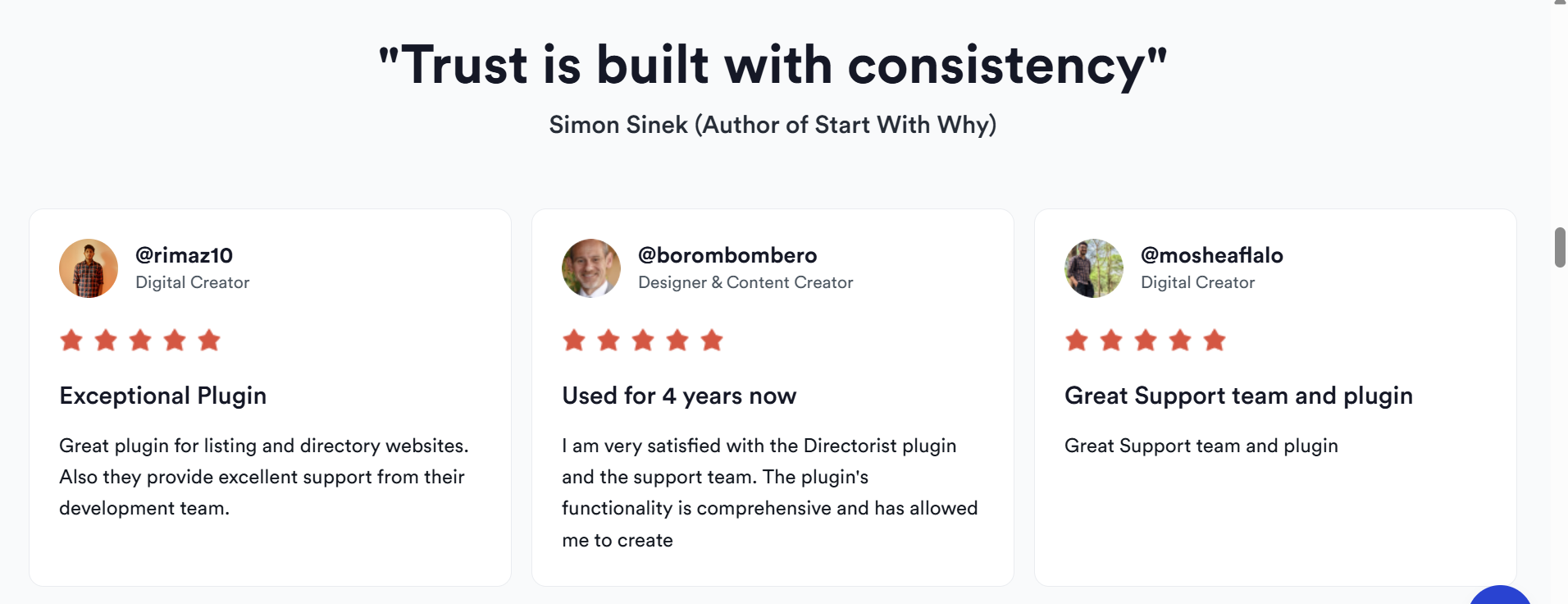
Directorist isn’t just technically good on paper: it has a community and track record behind it. According to its listing on WordPress.org, it has 20,000+ active directory owners and 580+ five‑star reviews. Here are a few direct snippets from users:
“Excellent plugin + themes … I was extremely pleased with what they offered.” — malborarg “Best plugin & Great support … they were patient, always responded quickly … resulting in a perfect website.” — pecaadokveszek “I started a business directory … and the site is already bringing in revenue. The SEO tools helped me rank in local searches quickly.” — review on WPK Leaders blog
That kind of feedback — especially the supportive community and responsiveness of support — makes a difference when you’re handling everything solo.
| ✅ Pros | ⚠️ Cons / What to Watch Out For |
|---|---|
| Free core lets you test without risk | Free version is powerful but limited — premium add-ons often needed for serious monetization. |
| All-in-one: listing, maps, search, monetization, front-end management | Few users report occasional issues with support response or edge-case bugs. |
| Scales well — good for both small and large directories | If you need many premium extensions, costs can add up (though still often cheaper than custom build). |
| Flexible and customizable: forms, fields, directory types, themes | Requires some WordPress familiarity — not a drag-and-drop site builder per se. |
| Works with popular WP themes and page builders | Advanced customizations (beyond defaults) may require some CSS/HTML knowledge |
I appreciate that these aren’t sweeping problems — just “know what you’re getting into” type caveats.

Q: Do I need coding skills to use Directorist? No — the core plugin and many extensions work “out of the box.” Custom fields, form builder, listing submission, search filters, and even payment gateways are all manageable via admin settings.
Q: Can I start for free and upgrade later? Yes. The free core plugin is enough to launch a simple directory website. As your directory grows (or you want monetization), you can add premium extensions or pricing plans.
Q: Will my directory scale if I have thousands of listings? Yes — Directorist is built to manage large volumes, with efficient query execution, clean code, and scalability in mind.
Q: Can I monetize a directory live and recurring (e.g. subscriptions)? Yes. Using the pricing plans add-on or paid‑listing extensions, you can charge for listings, featured slots, or recurring subscriptions.
Q: Does it integrate with payment gateways and page builders? Yes — supports WooCommerce, PayPal, Stripe, etc. Also works with Elementor, Gutenberg, Divi, Astra, OceanWP, and other popular WP themes/builders.
If I were you — a solopreneur trying to build a directory site to rank on Google AND make money — I’d seriously consider Directorist for these reasons:
Honestly — for someone balancing many roles (content, marketing, admin) — that kind of simplicity and cohesion is worth a lot.
Directorist is among the most complete and flexible WordPress directory solutions out there. It offers a solid base for building directory websites, and its optional premium extensions make it scalable, customizable, and monetizable. If you are serious about building a directory site — as a side hustle or full-time — Directorist gives you the tools to launch fast, optimize for SEO, and build a revenue model.
If you want to see it in action and decide for yourself: try Directorist today and explore its free core or premium options.

Looking for the best directory website builder? Discover if Brilliant Directories is the right directory software to launch your business directory, membership site, or niche listing platform. Explore features, pricing, benefits, and comparisons to other directory-building tools.

A comprehensive comparison of GeoDirectory, the location-focused WordPress directory plugin built for business listings and local directories.

Build your online directory with Make A Dir's no-code platform. Build and monetize professional directories in minutes!

eDirectory is a no-code platform to build member-based directories. Here's what we think about eDirectory.

Create, customize, and monetize professional directories with no code. Powerful features, beautiful design, launch in minutes.
Explore a comprehensive analysis of the best platforms for building your niche directory. Understand the benefits and trade-offs of WordPress, custom solutions, and SaaS options to make an informed decision.

Discover the three main types of directories you can build, from affiliate to local and user-generated content. Learn how to select the right software to avoid pitfalls.

Explore the benefits of using WordPress plugins versus no-code platforms to create an effective niche directory. Discover how to target specific markets and connect businesses with their ideal customers.