








Directory Easy Review: The Easiest Way to Monetize Your Knowledge with a Directory
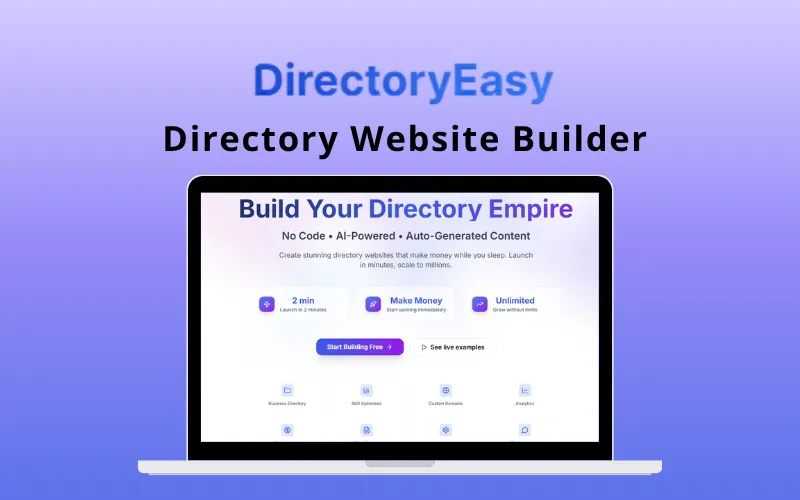
Discover how Directory Easy can help you build and monetize your own niche directories effortlessly. Learn about its features and benefits for digital creators.

A Directory website showcasing the best platforms and software tools to build an online directory website. Hey 👋 I'm Andrew. I created this site to help simplify the process of creating niche directories.

I build niche directories and write up what actually works. Every tool here is one I've used or tested against a real project.

EmbedDirectory - Customizable Directory for Your Website
Create engaging directory experiences with powerful search, custom layouts, maps and filters. Easy to embed on any website platform.

Building a directory website usually sucks.
You have two bad options.
Option A is using WordPress. You install a heavy plugin like GeoDirectory or MyListing. It takes over your theme. It slows down your site. You spend weeks fighting with CSS conflicts because the plugin wants to control everything.
Option B is using a "No-Code" website builder like Webflow or Squarespace. They look great, but their databases are weak. Webflow has CMS limits. Squarespace is a nightmare for filtering complex data.
EmbedDirectory is Option C.
It allows you to build a powerful, searchable directory separately—often using Google Sheets as a backend—and then drop it into any website with a single line of code.
It is not a website builder. It is a data engine that lives inside your existing site.
If you are trying to add a resource library to a Notion page, a staff list to a corporate intranet, or a vendor marketplace to a Shopify store, this is the tool you use.
[Insert image: A split screen showing a Google Sheet on the left and a beautiful directory grid on the right]
Most people start by trying to build a directory with their website builder's native tools.
They create a "Collection" in Webflow or a "Blog" in WordPress. They add custom fields.
Then they hit a wall.
EmbedDirectory solves this by bypassing your CMS entirely. It hosts the data. It renders the view. Your website just acts as the frame.
The workflow is refreshingly boring. That is a good thing.
1. You Choose Your Data Source You can type data directly into EmbedDirectory’s dashboard, but don't do that.
Connect it to Google Sheets.
This is the best way to manage data. You can have your team update the spreadsheet, use Google Forms to collect data, or use Zapier to push rows into the sheet. EmbedDirectory watches that sheet. When you add a row, the listing appears on your site.
2. You Map Your Fields The software doesn't know that "Column B" is a price. You have to tell it.
In the dashboard, you map your columns to directory fields:
3. You Design the View You pick a template (Grid, List, or Map). You choose which filters to show on the sidebar. You pick your primary color.
4. You Copy the Code
It gives you a snippet. It looks like this:
<div id="embed-directory-root"></div><script src="..."></script>
You paste that into an "HTML Embed" element on your site. You are done.
[Insert image: The EmbedDirectory dashboard showing the "Map Fields" interface]
It is not just a table. It is a functional app. Here is what makes it useful.
I cannot overstate how important this is.
Managing a directory inside a WordPress dashboard is slow. You have to click "Edit," wait for the page to load, change a field, click "Update," and repeat.
With EmbedDirectory, you can bulk-edit 50 listings in a Google Sheet in ten seconds. You can use formulas to calculate fields. You can use conditional formatting to organize your data. It turns your database management into a spreadsheet task, which is faster for everyone.
If you are building a real estate listing or a store locator, standard maps are not enough.
EmbedDirectory supports map views where users can draw a shape to search. If a user wants to find coffee shops only in a specific three-block radius, they draw a circle around it. The results update instantly.
This is a "Pro" feature usually found in enterprise software, not simple embed widgets.
This is how you build a marketplace.
You can enable a "Submit Listing" button. Visitors can fill out a form, upload an image, and submit a listing.
You get a notification. You approve it. It goes live.
You can even charge for this. EmbedDirectory integrates with Stripe (on higher tiers) so you can turn your curated list into a revenue stream without setting up WooCommerce.
This is the main selling point.
[Insert image: A collage showing the widget embedded on a dark-mode Webflow site and a light-mode Shopify store]
This is where you need to pay attention. EmbedDirectory is a SaaS. You pay a monthly fee to keep the directory running.
Essentials ($24/mo)
Standard ($49/mo)
Pro ($89/mo)
Note: Pricing is subject to change. Check EmbedDirectory.com for the latest numbers.
Is it worth it? If you hire a developer to build a custom faceted search filter for WordPress, it will cost you $2,000 upfront and weeks of maintenance.
Paying $49/month for a tool that works instantly is a math problem you can solve easily. If your directory makes money, the cost is negligible.
Here are three specific ways I have seen this used effectively.
A user runs a blog about remote writing jobs.
A company with 300 employees needs a phone book.
A local tourism board wants to show events.
You have other options. Here is why you might—or might not—choose EmbedDirectory.
Vs. Sheet2Site Sheet2Site is a website builder. It generates the entire site from a sheet.
Vs. Awesome Table Awesome Table is the grandfather of this space. It is solid but feels a bit corporate and dated.
Vs. WordPress Plugins (GeoDirectory/HivePress)
"Does it hurt my SEO?" Maybe. Because the content is loaded via JavaScript, some search engine crawlers might miss it. If you need every single listing to rank for a specific keyword (e.g., "Plumber in Austin"), you should use a native solution. If you just need a functional directory for users who are already on your site, this is fine.
"Can I style it?" Yes. The default skins are clean—lots of whitespace, modern fonts (Inter/Roboto). If you are on the Pro plan, you can inject Custom CSS. You can change the border radius, button colors, and font families to match your host site exactly.
"What happens if I stop paying?" The widget disappears. This is the risk of SaaS. You are renting the functionality. However, since your data is in Google Sheets, you never lose your data. You just lose the display.
EmbedDirectory is a specific tool for a specific person.
If you are a developer who loves building custom React apps and managing databases, you will hate this. It is too simple.
But if you are a business owner, a marketer, or a "No-Code" builder, this is a weapon.
It turns the complex problem of "displaying and filtering data" into a five-minute task. It frees you from the constraints of your CMS. It lets you manage data in the tool you already know (Excel/Sheets).
It is mature, stable, and does exactly what it says on the box.
What to do next: Go to your Google Drive. Create a new Sheet. Put five rows of data in it (Name, Description, Image URL). Then go to EmbedDirectory, connect that sheet, and see how it looks.
You will realize you just saved yourself two weeks of development time.
Discover how Directory Easy can help you build and monetize your own niche directories effortlessly. Learn about its features and benefits for digital creators.

How Unicorn Platform simplifies the process of creating niche affiliate directories quickly and efficiently without coding. Learn about the pros and cons of Unicorn Platform.