Find the right platform and software tools to build an online directory.

I build niche directories and write up what actually works. Every tool here is one I've used or tested against a real project.

Noloco | No-Code Portals and Directories on Airtable or Sheets
Contact
Noloco | No-Code Portals and Directories on Airtable or Sheets
Build branded portals, internal tools and member directories on top of Airtable, Google Sheets, Postgres or Supabase without code. Free plan, then $79 a month.
Noloco Review: When Your Directory Needs Logins, Not Just Listings
Most no-code directory tools are built for one audience: the visitor browsing listings.
Noloco is built for two. The visitor, and the business on the other side of the listing that needs to log in, update their own details, and see things nobody else can.
That distinction sounds small. It decides which tool you should use.
What it is
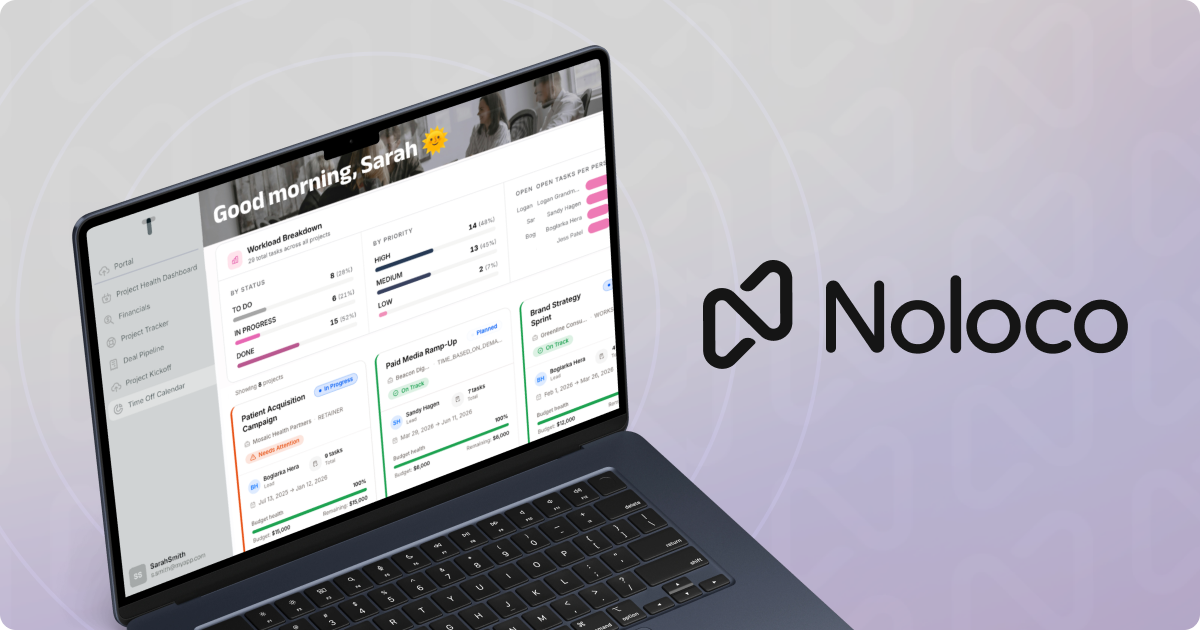
Noloco builds apps on top of data you already have. Point it at Airtable, Google Sheets, Postgres, Supabase, Xano, SmartSuite, HubSpot or its own Noloco Tables, and it gives you a point-and-click builder for the interface.
You get forms, dashboards, charts, workflows, action buttons and comments. You can open parts of the app to the public and keep the rest behind a login. There is an AI assistant called Nola that builds pages and tables from a prompt, and an MCP server so tools like Claude can work with your app directly.
It markets itself at agencies, law firms and back offices. That is worth noticing, because it tells you what it is best at.
Why permissions are the whole story
Here is the case where Noloco earns its place.
Say you run a directory of wedding photographers. On a basic builder, every listing is edited by you. A photographer emails you a new price, you change a cell.
At 30 listings that is fine. At 400, you are a full-time data-entry clerk.
Noloco's permissions let each photographer log in and see only their own listing. They update their prices, their photos, their availability. You approve or you don't.
That is the difference between a directory you maintain and a directory that maintains itself. And that, much more than the page design, is what decides whether a directory survives its second year.
Where it fits for a directory
Noloco suits directories where the listing owners are active participants. Member directories for associations. Vendor portals. Supplier lists where companies need to keep their own records current. Agencies running directories for clients.
It is a weaker fit for a pure SEO play, where the goal is thousands of indexable pages for visitors who never log in. Noloco can make parts of an app public, but it is not primarily a publishing platform, and SEO is not what it is built around.
Pricing
| Plan | Monthly | Yearly (per month) | Key limits |
|---|---|---|---|
| Free | $0 | $0 | 2,000 records, 50 active clients, unlimited team seats, Noloco Tables only |
| Build | $79 | $65 | 25,000 records, 1,000 active clients, 10 team seats, all main data sources |
| Enterprise | Custom | Custom | Unlimited records, SSO, audit logs, full white-label |
Every plan starts with a 14-day trial of the full Build features, no card required.
Extra records on Build are $25 per additional 25,000. Extra team seats are $6 each monthly, $5 yearly. Non-profits get 50% off.
Note the Free plan's catch. It only connects to Noloco's own tables or a CSV import. If your data lives in Airtable or Google Sheets, you need Build.
The honest downsides
It is rented. Your data can live in your own Airtable or Postgres, which is good. But the app itself exists on Noloco's platform. Stop paying and the interface goes away.
$79 a month adds up. For a directory still proving itself, that is roughly $950 a year before you have earned anything. Use the free plan until the directory is paying its way.
SEO is not the priority. If your plan depends on ranking thousands of listing pages, a tool built around public pages will serve you better.
AI credits are metered. Nola runs on credits: 30 a month plus 5 a day on Free, 250 a month on Build. Building heavily with the assistant will use them.
Noloco vs Softr
These two are the obvious comparison, and they overlap a lot.
Softr is the simpler tool for a public-facing directory with light logins. Noloco goes deeper on permissions, workflows and operations, and connects to more databases, including Postgres and Supabase.
If listing owners mostly never log in, start with Softr. If they log in every week, Noloco is the stronger foundation.
Verdict
Noloco is the right tool when your directory has members, not just visitors.
The whole case rests on one question. Will the people you list be doing work inside your directory, or only appearing in it? If it's the first, their self-service saves you more time than any design feature would.
Start with the 14-day trial and connect your real data source. If you can give one test listing owner their own login inside an afternoon, you have your answer.